
We use cookies to ensure you get the best user experience on our website.Find Out More
Capture reproduction context, network logs, and device state automatically when a bug occurs.
Stop guessing how testers hit a bug. Shakebug equips iOS, Android, Flutter, and React Native teams with instant shake-to-report bug filing, visual annotations, network traces, and automatic sync to GitHub, Jira, and Slack.
Eliminate back-and-forth communication between QA testers, end-users, and engineers with deep, automated context captured at the moment of failure.
Users report issues in 5 seconds via a simple device shake, floating widget, or screenshot gesture. No app switching, no manual forms.
Chronological tap events, view transitions, console errors, and HTTP network requests automatically bundled into a step-by-step timeline.
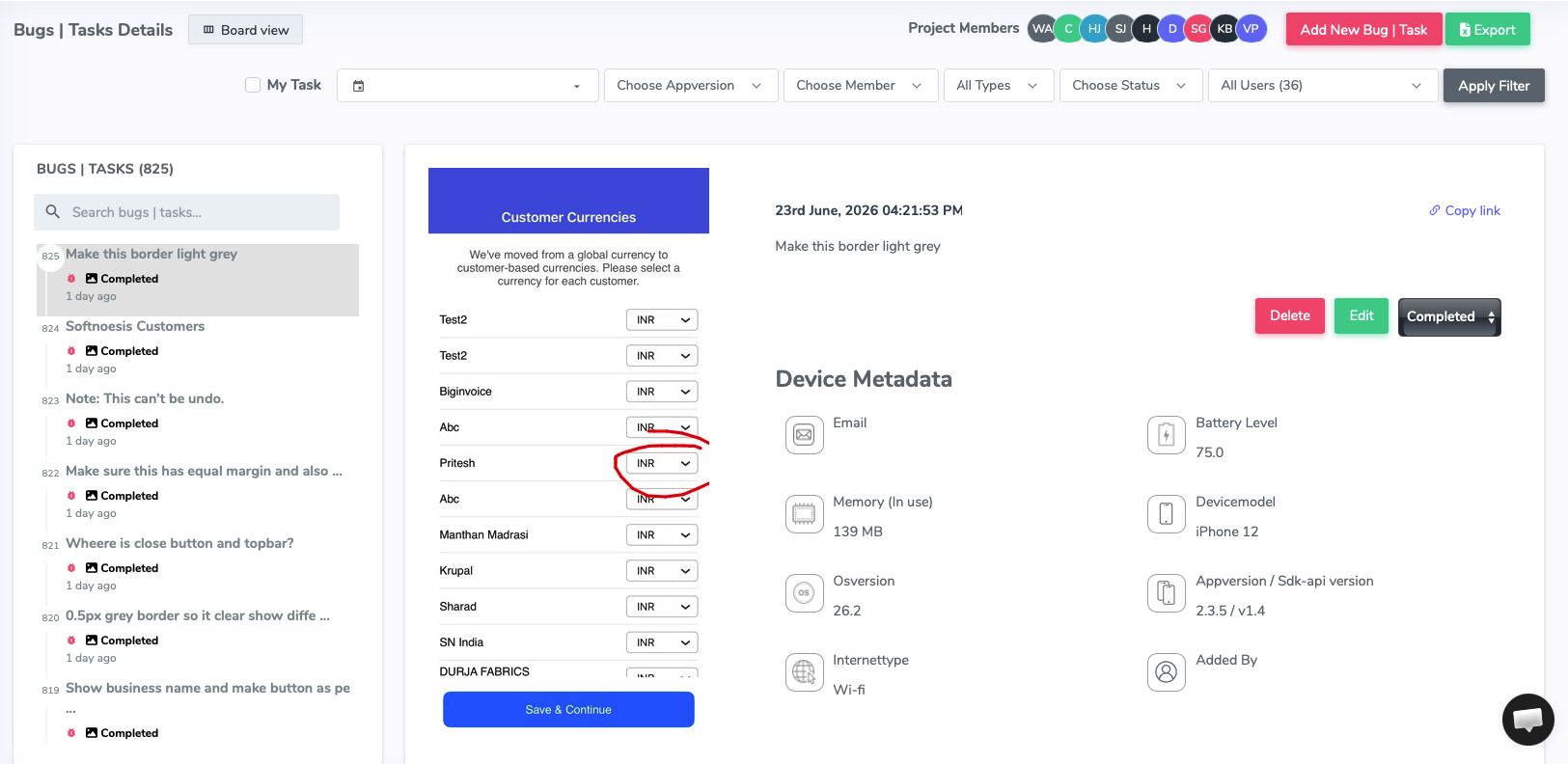
Instant capture of OS version, device model, free storage, available RAM, battery level, network connection, and screen orientation.
Automatic ticket creation in GitHub Issues, Jira, Slack, Linear, Asana, and Trello with screenshots, logs, and video attachments included.
From client-side user gesture to prioritized Jira and GitHub tickets, Shakebug automates every step of mobile QA triage.
When a tester or customer encounters unexpected behavior, they simply shake their phone. The Shakebug feedback screen overlays instantly over the current view without disrupting user session state.
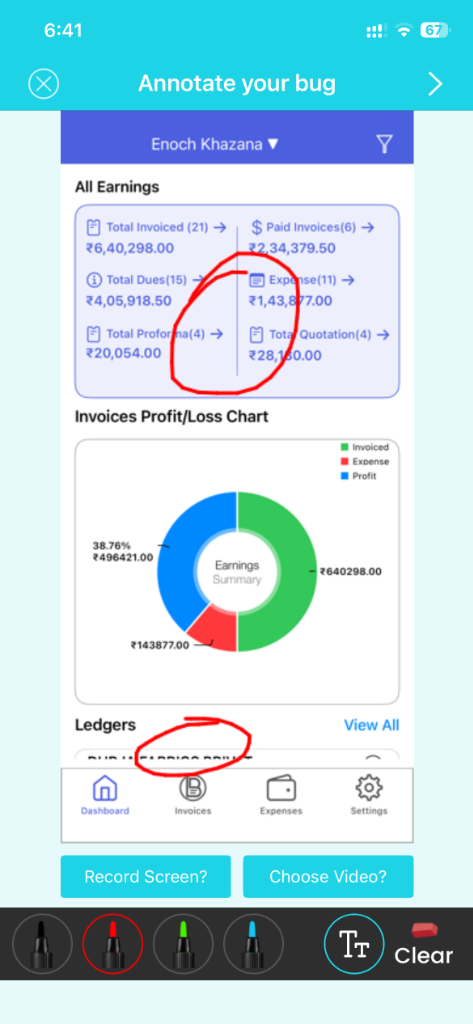
Testers can capture the exact visual state in real time, draw arrows, add text comments, and highlight problematic layout elements. With the built-in screen video recorder, users can narrate audio while reproducing edge cases.
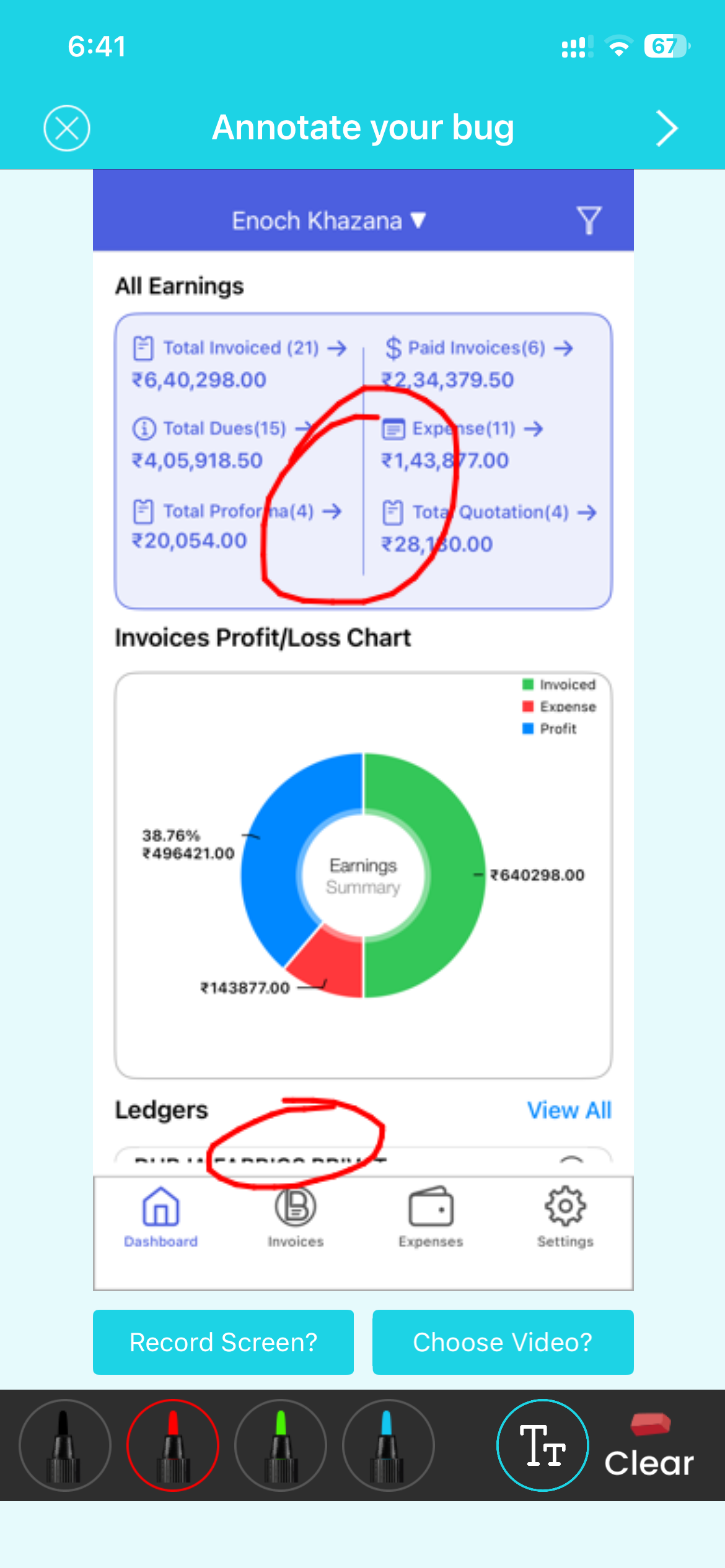
A picture is worth a thousand words, but an annotated screenshot with video explains the bug completely. Shakebug provides an intuitive drawing toolbar directly on mobile viewports:
Testers draw boxes, arrows, freehand highlights, and add custom notes. If a bug involves multi-step animation glitches or timing bugs, users record their screen with micro-narrated audio so developers see exactly what happened.
Eliminate the dreaded "Works on my machine" response. Every ticket generated by Shakebug automatically packages the technical state of the app when the bug happened:
Inspect raw console outputs (log, info, warn, error), chronological user breadcrumbs (button clicks, navigation screen names, gestures), and detailed HTTP network logs (request URLs, response status codes, latency, and payload payloads).
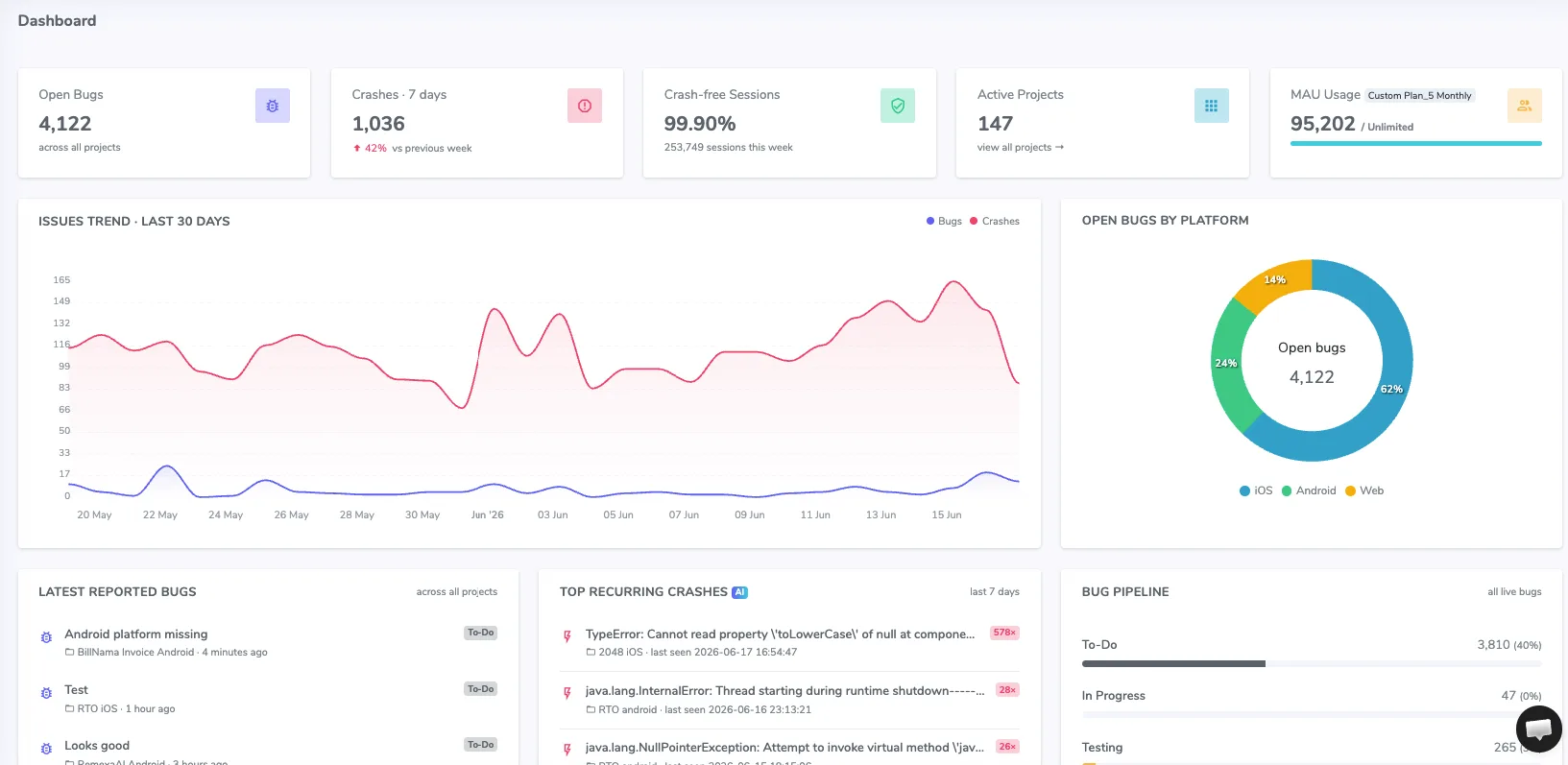
Don't force engineers to learn another bug management tool. Shakebug routes reports directly into the development tools your team already uses every day.
Map projects, issue types, assignees, components, and priority labels directly to your Jira, GitHub, Linear, or Trello boards. Get real-time alert broadcasts in dedicated Slack or Microsoft Teams channels the moment critical issues surface.
A single lightweight SDK for your entire mobile stack. Initializing Shakebug requires only a few lines of code.




































Everything you need to know about implementing Shakebug's mobile app bug reporting tool.
Create your free account, add the SDK, and start collecting complete bug reports with screenshots, logs, and device context in minutes.
Sign up freeFree plan available • No credit card required • 5-minute setup