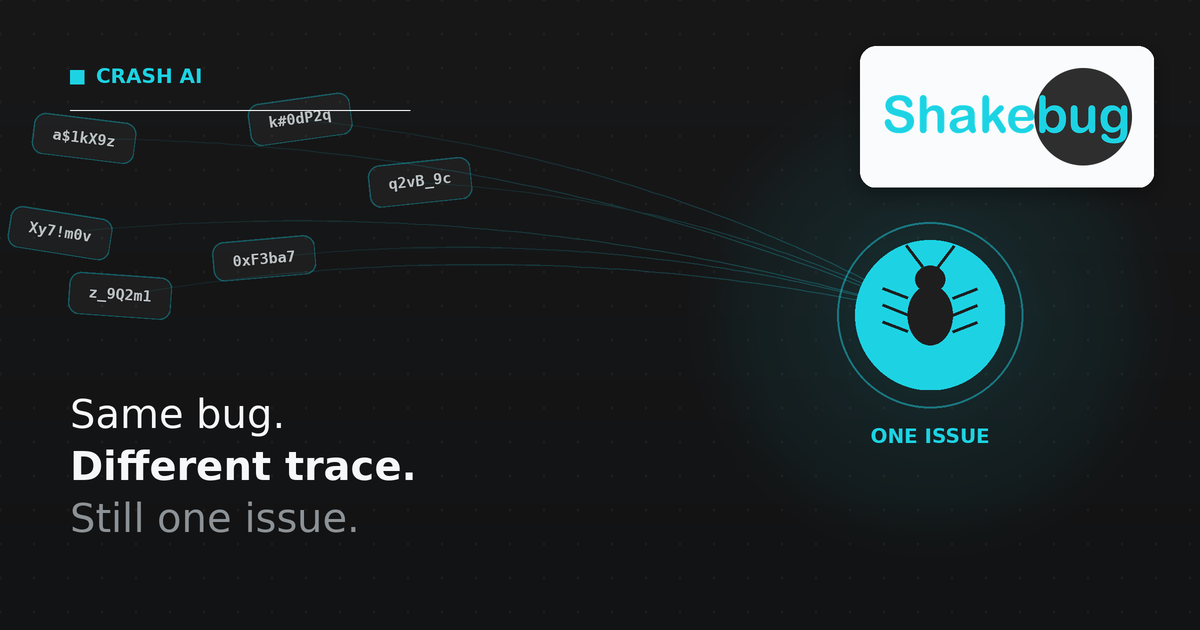
If your crash tool groups issues by matching the stack trace as a string, an obfuscated build can turn one bug into ten “unique” issues overnight. The fix isn’t a better string match — it’s grouping by the shape of the crash instead of its literal text.
The problem shows up right after you ship
Say a null pointer crash has been stable in your dashboard for weeks: one issue, steady occurrence count, assigned and being worked. Then you ship a release with ProGuard/R8 rules updated, or a refactor that inlines a couple of methods, or a JS bundle that gets re-minified with different variable names. The exact same crash fires again — same root cause, same broken code path — but the stack trace now reads differently: a class got renamed to a.b.c, a method got inlined into its caller, a line number shifted by three.
A tool that groups by exact string match sees a new trace and opens a new issue. Multiply that across every device and OS version hitting the bug, and by the end of the week you’ve got what looks like five or six distinct crashes in your backlog. It’s one bug, filed six times, because the deduplication logic couldn’t see past the string.
This isn’t a hypothetical edge case — obfuscation and minification are standard practice for production Android and web builds specifically because they shrink and protect the code. Any crash tool that hasn’t accounted for it is going to fracture under normal release hygiene, not just in unusual situations.
Why exact-match grouping fails here
Exact stack-trace matching treats the trace as a string to compare. It works fine as long as nothing about the trace’s text changes between occurrences. The moment any of the following happens, the string changes and the match breaks:
- Code obfuscation (ProGuard/R8 on Android, symbol stripping on iOS) renames classes and methods to short, meaningless identifiers that can differ build to build.
- Method inlining during compiler optimization removes stack frames entirely, changing the trace’s shape even though the underlying failure is identical.
- Minification on web/JS bundles renames variables and can shift line and column numbers on every build.
None of these change what actually broke. They only change what the trace looks like as text. A matching system that can’t tell the difference between “this is a different bug” and “this is the same bug in a different build” ends up creating duplicate issues as a side effect of normal shipping.
What pattern-based grouping does instead
Shakebug’s Crash AI clusters by pattern — the shape of the crash — rather than a literal string match on the trace, specifically so that a rename or a shifted line number doesn’t split one crash into several (shakebug.com/ai-crash-grouping). Grouping runs the same way across iOS, Android, Flutter, React Native, and web from one SDK, and it’s on by default — crash capture and grouping start as soon as the SDK initializes on each platform, with no separate module to wire up.
Each grouped issue keeps a first-seen date, an occurrences-over-time trend, and a breakdown by affected devices and app versions, so a renamed build doesn’t just get grouped correctly — it also stays attached to the history of when the bug first appeared and how it’s trending, instead of resetting the clock every time a new “duplicate” issue opens.
What this looks like at scale
Shakebug has published before/after numbers from its crash and bug AI grouping: taking a team from roughly 8,000 scattered reports down to about 150 core issues, cutting time spent on resolution by around 95%, and reducing duplicate-report volume by around 80% (shakebug.com/ai-bug-reporting). That gap between “reports filed” and “actual distinct problems” is largely what exact-match grouping fails to close — most of those 8,000 aren’t 8,000 different bugs, they’re a few hundred bugs filed many times over, including across builds where the trace text shifted.
Getting this without extra setup
There’s no toggle to find. If you’ve already installed the Shakebug SDK for bug reporting, crash capture and pattern-based grouping are already running:
// Android (Kotlin)
ShakeBug.sharedInstance().initiateWithKey(this, "<Your Key>")
// iOS (Swift) — automatic once initialized
ShakeBugSDK.sharedInstance.initiateWithKey("<Your Key>")// Flutter (Dart) — wrap your root widget
ShakebugSDK(
androidAppKey: 'your_android_appkey',
iosAppKey: 'your_ios_appkey',
child: MaterialApp(home: const HomeScreen()),
);Full feature breakdown, screenshots of a grouped issue, and platform-by-platform setup: see AI Crash Grouping.
If you’re comparing this against Sentry
Sentry also groups crashes, but its AI-assisted debugging layer — the Seer agent — is a separate paid add-on on top of your plan. Shakebug’s Crash AI, pattern-based grouping included, ships in every plan at no extra cost. For the full breakdown (pricing, session replay limits, what each tool is actually built for), see the Sentry alternative comparison.
FAQ
Why does the same crash show up as multiple issues after I ship an obfuscated or minified build? Because exact stack-trace matching compares the trace as text. Obfuscation, method inlining, and minification all change that text without changing the underlying bug, so a string-matching grouping system opens a new issue instead of recognizing a repeat.
What is pattern-based crash grouping? It’s a grouping method that clusters crashes by the shape of the failure rather than a literal string match on the stack trace, so renamed classes, inlined methods, or shifted line numbers don’t fracture one crash into several issues.
Does Shakebug’s Crash AI need to be turned on separately? No. Crash capture and grouping start automatically as soon as the SDK is initialized for your platform — there’s no separate crash-reporting module to configure.
Is there a cost difference between Shakebug’s Crash AI and Sentry’s Seer AI agent? Yes. Crash AI is included in every Shakebug plan. Sentry’s Seer agent is a paid add-on on top of a Sentry plan. See the Sentry alternative page for the full pricing comparison.
Does this work the same way across mobile and web? Yes. The same Crash AI engine runs across iOS, Android, Flutter, React Native, and web from one SDK.